Have you ever struggled to get your Hayward pool pump up and running? You’re not alone. Many pool owners face this challenge, especially at the start of the season when everything needs a little extra care.
Table of Contents
- 1 Key Takeaways
- 2 Understanding Hayward Pool Pumps
- 3 Preparation Before Starting
- 4 Step-by-Step Guide to Start Hayward Pool Pump
- 5 Common Issues and Troubleshooting
- 6 Conclusion
- 7 Frequently Asked Questions
- 7.1 What are Hayward pool pumps used for?
- 7.2 How do I prepare to start a Hayward pool pump?
- 7.3 What are the steps to start a Hayward pool pump?
- 7.4 What should I do if my Hayward pool pump won’t start?
- 7.5 What causes unusual noises in a Hayward pool pump?
- 7.6 How can I troubleshoot common problems with Hayward pool pumps?
Key Takeaways
- Understanding Hayward Pool Pumps: Familiarize yourself with the different types of Hayward pool pumps—single-speed, two-speed, variable-speed, and MaxFlo—each designed for varying pool sizes and energy efficiency.
- Safety First: Always turn off the power at the circuit breaker and wear safety gear like gloves and goggles before starting your pool pump.
- Preparation is Key: Gather necessary tools (screwdriver, wrench, Teflon tape, towels) and ensure the workspace is clean and the pool’s chemical levels are balanced for optimal pump performance.
- Step-by-Step Starting Process: Follow a clear procedure: check power supply, inspect connections, prime the pump, turn on the breaker, activate the pump, and monitor performance for any issues.
- Troubleshoot Common Problems: Be proactive about potential issues; identify and resolve problems like the pump not starting or unusual noises through careful inspection and maintenance.
- Energy and Cost Efficiency: Opt for variable-speed pumps to lower energy costs and enjoy quiet operation, ensuring a peaceful poolside experience.
Understanding Hayward Pool Pumps
Hayward pool pumps play a crucial role in maintaining pool cleanliness and circulation. Different types cater to various pool sizes and needs.
Types of Hayward Pool Pumps
- Single-Speed Pumps: Ideal for smaller pools, these pumps run at a constant speed, making them simple and cost-effective.
- Two-Speed Pumps: These pumps offer two speed settings, providing flexibility. Use high speed for cleaning and low speed for normal circulation, saving energy and costs.
- Variable-Speed Pumps: These save the most energy. They allow you to adjust the speed to match your needs, running quietly and efficiently for longer periods.
- MaxFlo Pumps: Known for their reliability, these pumps are suitable for above-ground pools, offering a good balance between performance and value.
- Energy Efficiency: Variable-speed models significantly reduce electricity costs due to adjustable speeds.
- Quiet Operation: Many Hayward pumps operate at lower noise levels, enhancing your relaxation time by the pool.
- Durability: Built with high-quality materials, these pumps withstand harsh conditions, ensuring a long lifespan.
- Easy Maintenance: Many models have convenient features like a removable strainer cover, simplifying routine checks and maintenance.
Understanding these elements helps you select the right pump for your pool, ensuring efficient operation and a clean swimming environment.
Preparation Before Starting
Preparing before starting your Hayward pool pump ensures smooth operation and safety. Taking a few moments to get ready makes a significant difference in performance and longevity.
Recommended Products
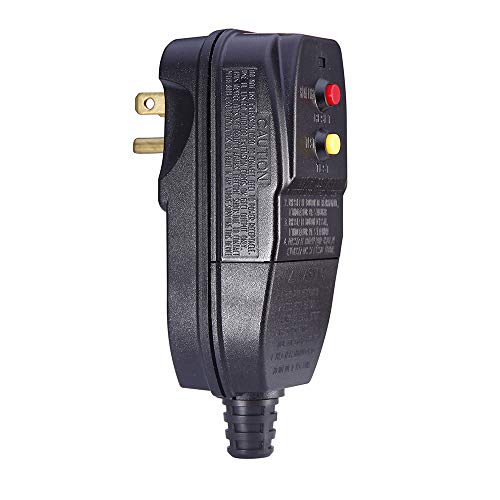
Protect you and your appliances from electric shock: When leakage of electricity takes place, the GFCI plug can break the circuit automatically within 0.03 second.

【Easy to Install】Ground fault circuit interrupter with surge protection. Just respectively connect 3 pcs of wires to joint screws marked BLK (live wire), GRN (earth wire) and WHT (null wire).Then screw down and close the cover.

✅【Patented Auto-Monitor Every 5 Seconds】 This is the newer model of our original GFCI plug of G1215PA2. This GFCI outlet will automatically conducts a self-test (auto-monitor) every 5 seconds to ensure the GFCI is continually working to protect people from electrocution, which exceeds the UL standards of self-test frequency of 3 hours.
Safety Precautions
- Always turn off the power at the circuit breaker before working on the pump. This prevents accidental electrical shocks.
- Wear safety gear, including gloves and goggles, to protect against sharp edges and splashes.
- Keep the work area clean and dry to avoid slips and falls.
- Ensure that the pool water’s chemical levels are balanced. Extreme pH or chlorine levels can damage the pump and affect safety.
- Screwdriver: Use a flat-head or Phillips screwdriver for any necessary adjustments.
- Wrench: A wrench may be needed for securing or loosening fittings and bolts.
- Teflon tape: Keep this handy to seal threads on fittings and prevent leaks.
- Towels: Use absorbent towels for cleaning up any spills or leaks during the process.
Taking these preparatory steps increases the likelihood of a successful start-up for your Hayward pool pump.
Step-by-Step Guide to Start Hayward Pool Pump
Starting your Hayward pool pump requires attention to detail and simple steps. Follow these instructions for a smooth start.
Recommended Products

Great Compatibility- The strainer housing assembly is compatible with Hayward Power-Flo LX above-ground and for Power-Flo II self-priming pool pumps. Engineered for reliability and performance.

Parts Number: S351501210, 47035407, HAY1012004, O231, SP1500P, SPX1500P, XLSCOR
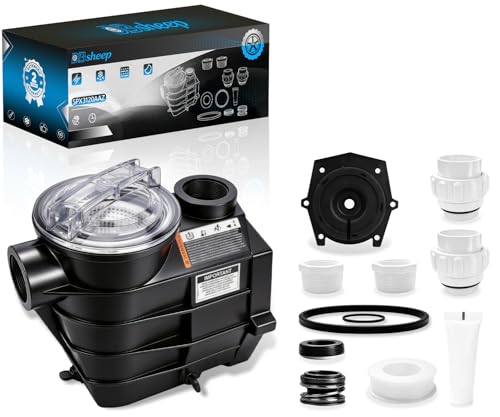
【Compatible】: This threaded style pump housing and strainer assembly is a direct replacement for Hayward Super II SP3000 series models: SP3007, SP3010, SP3015, SP3020, SP3025, SP3030, and SP3000X series models: SP3007X10, SP3010X15, SP3015X20, SP3020X25, SP3025X30. Includes integrated strainer basket chamber and drain plugs. Please confirm your pump model number before ordering.
Initial Setup
- Check Power Supply: Ensure the breaker is on. The pump needs power to operate.
- Inspect Connections: Look for loose or damaged connections. Tighten or repair any issues.
- Clear the Area: Remove obstacles around the pump. A clean workspace promotes safety.
Priming the Pump
- Fill the Pump Basket: Remove the lid, then fill the basket with water. This helps eliminate air pockets.
- Reattach the Lid: Secure the lid tightly to create a seal. Use Teflon tape on threads if necessary.
- Open Air Bleed Valve: Locate and open the air bleed valve on top of the filter. This allows trapped air to escape.
- Turn on Power: Switch the breaker back on to supply power to the pump.
- Activate the Pump: Press the start button or toggle the switch to initiate pump operation.
- Monitor Performance: Observe for any unusual noises or leaks. If everything is normal, let it run for a few minutes.
Following these steps, you’ll ensure your Hayward pool pump operates efficiently.
Common Issues and Troubleshooting
Even with proper setup, issues can arise with your Hayward pool pump. Here are some common problems and tips for troubleshooting them.
Recommended Products

Made of high-quality materials, our pump cover is resistant to cracking, breaking, and loosening, ensuring that it lasts for a long time without needing frequent replacement

Made of high-quality materials, our pump cover is resistant to cracking, breaking, and loosening, ensuring that it lasts for a long time without needing frequent replacement

INCLUDES: The Hayward Perflex Above Ground Pool Filter Pump System includes an EC50AC filter with clamp, a 1.5 HP PowerFlo Matrix Pump, a modular platform base, a union connection and a 1 1?2" hose package
Pump Not Starting
If your pump doesn’t start, check these factors:
- Power Source: Ensure the pump’s plugged in and the circuit breaker isn’t tripped.
- Timer Settings: Verify if the timer is set correctly for operation.
- Emergency Switch: If your pump has an emergency shut-off switch, make sure it’s in the “on” position.
- Wiring Issues: Inspect for damaged or loose wires; consider enlisting a professional for repairs.
Unusual Noises
If you hear strange noises while the pump runs, address the issue right away.
- Air Bubbles: Loud banging sounds often indicate air bubbles in the system. Check for proper water levels in the skimmer and pump basket.
- Loose Components: Rattling or grinding noises may stem from loose parts. Tighten screws and ensure everything is properly secured.
- Clogged Impeller: If you hear whining or screeching, inspect the impeller for debris. Turn off the pump, remove the lid, and clean any obstructions.
- Vibration: Uneven surfaces can cause vibrations. Make sure the pump is on a stable, level surface.
By being aware of these common issues, you can maintain efficient operation and enjoy a clean pool.
Conclusion
Starting your Hayward pool pump doesn’t have to be a daunting task. With the right preparation and a bit of know-how you can keep your pool in top shape. Remember to always follow safety guidelines and troubleshoot any issues promptly to ensure smooth operation.
Regular maintenance and monitoring will help you enjoy a clean and refreshing pool all season long. So go ahead and make that splash knowing your pool pump is ready to do its job!
Frequently Asked Questions
What are Hayward pool pumps used for?
Hayward pool pumps are essential for maintaining pool cleanliness and circulation. They help filter water, prevent algae growth, and ensure a safe swimming environment.
How do I prepare to start a Hayward pool pump?
Before starting, ensure you have the necessary tools like a screwdriver and hose. Check the pump for any visible debris, and verify that the circuit breaker is in the “on” position for safety.
What are the steps to start a Hayward pool pump?
To start a Hayward pool pump, first prime it by filling the strainer basket with water, then turn on the pump. Monitor the pressure gauge if available and watch for proper water flow.
What should I do if my Hayward pool pump won’t start?
If your pump won’t start, verify that it’s plugged in and the circuit breaker is on. Check the strainer basket for debris and ensure the water level is sufficient for the pump to operate.
What causes unusual noises in a Hayward pool pump?
Unusual noises can result from debris in the pump, loose components, or cavitation. Inspect the pump for blockages, tighten any loose parts, and ensure proper water flow to mitigate these issues.
How can I troubleshoot common problems with Hayward pool pumps?
To troubleshoot, first, identify the issue—check for blockages, electrical connections, and water levels. Consult the manual for specific error messages and follow the provided troubleshooting steps for resolution.